Laguna Sur Special Task


--Steps to complete this special task--

Or follow step-by-step:


Step 1
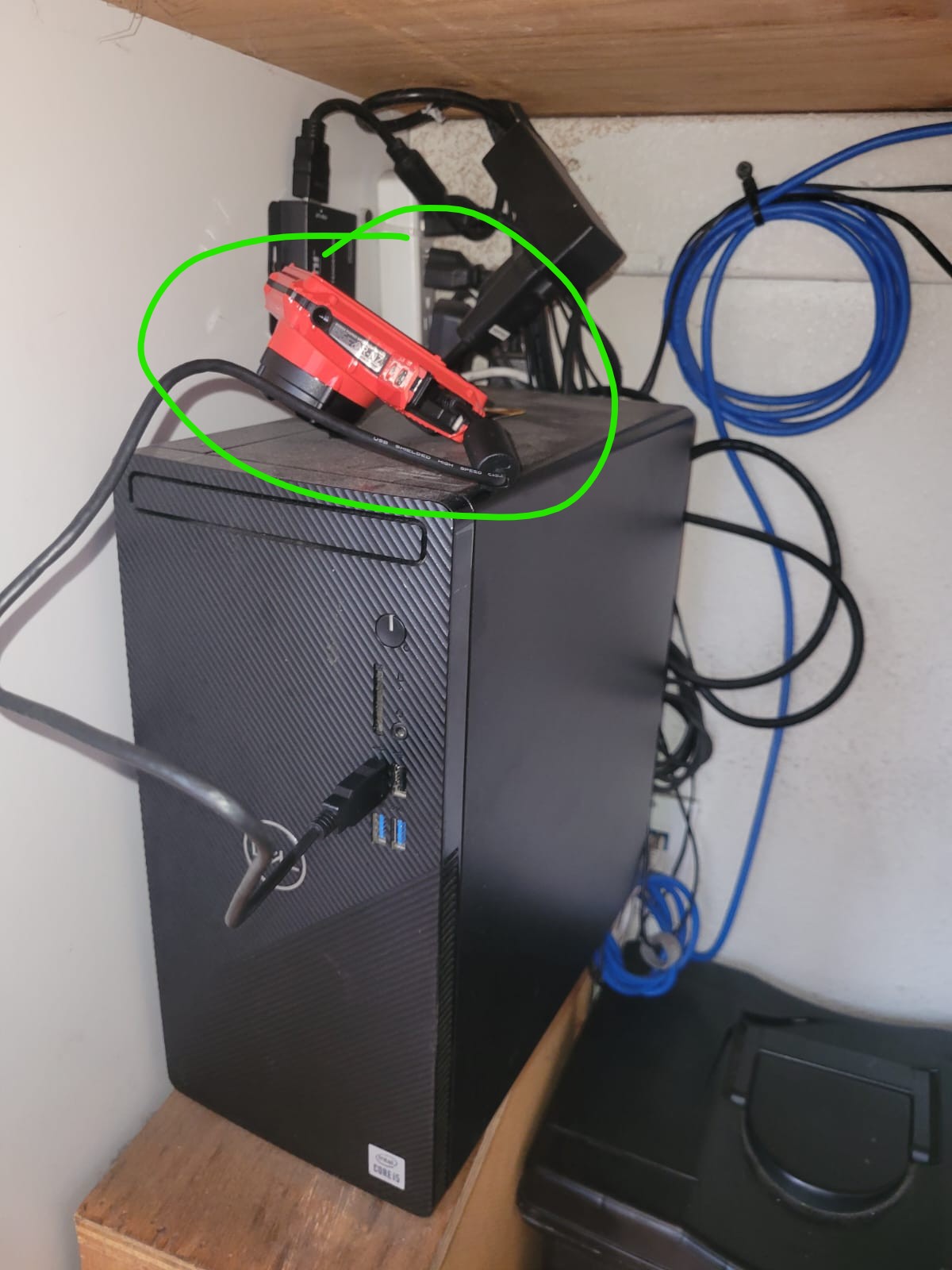
-Get the camera

gajdytjbd


Step 2
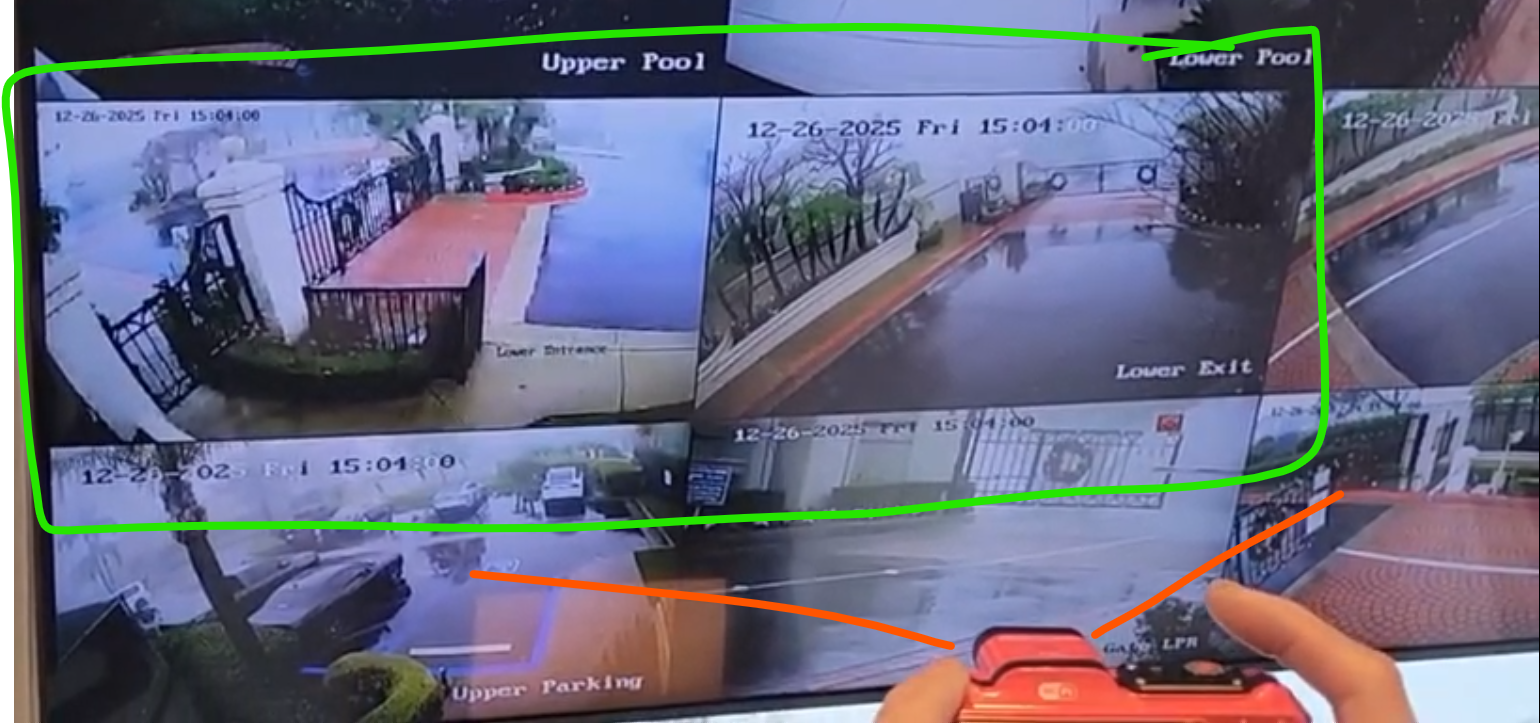
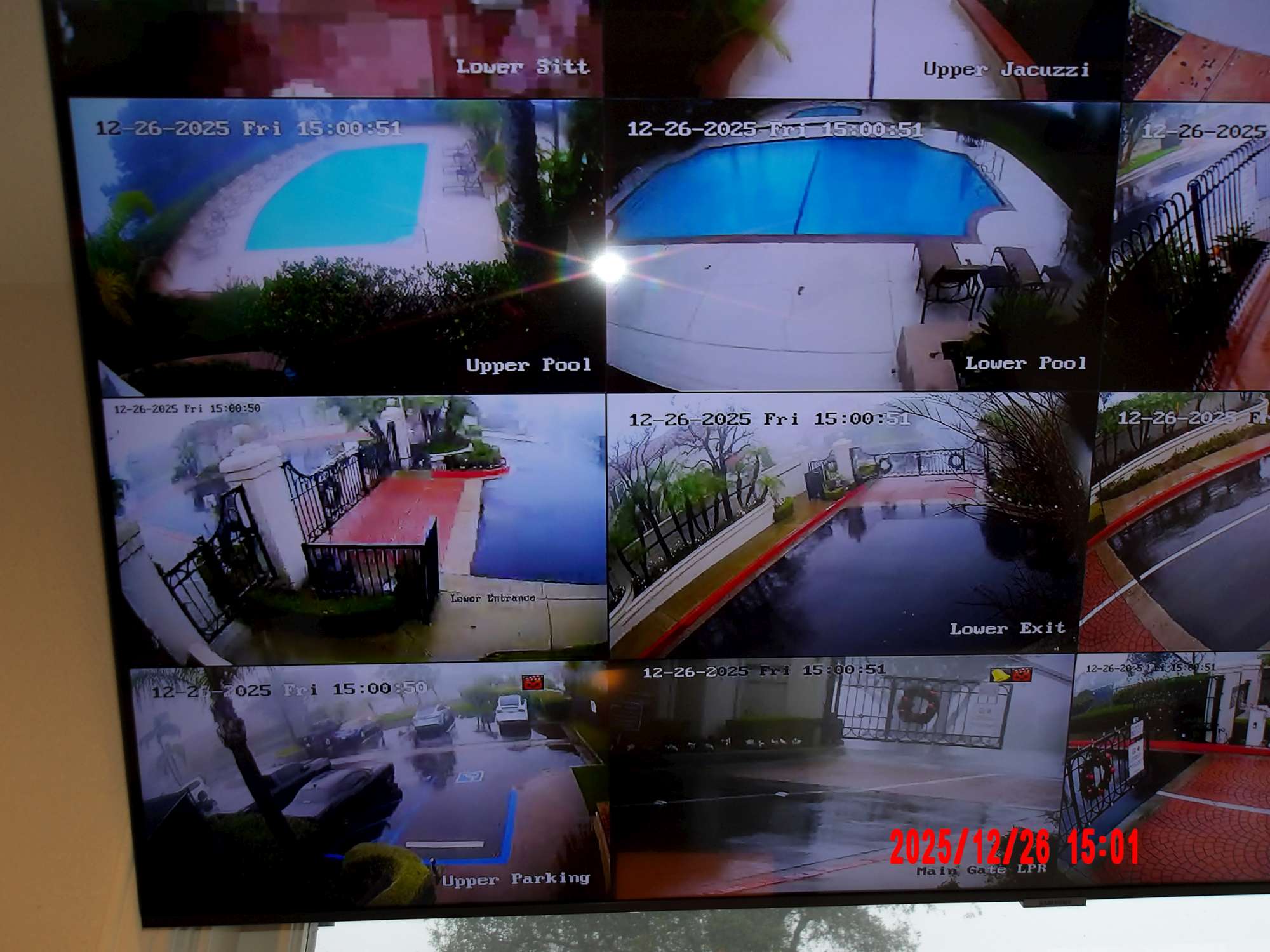
Take a picture of the screen, including:
  • Lower Entrance Gate
  • Lower Exit Gate

gzsvdasf


The picture should look like this:

¨;ÑLioubxgf


Step 3
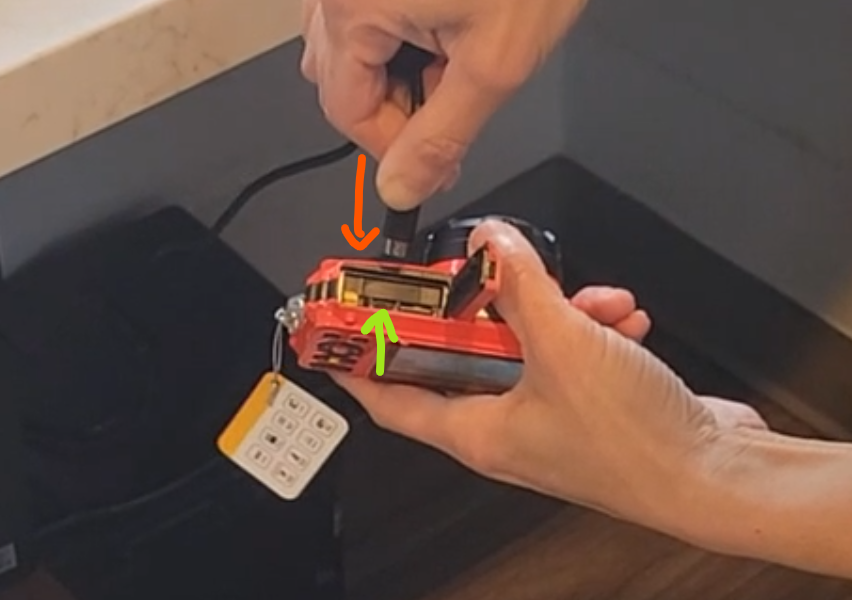
Connect camera to computer in the center slot

mgncj.vx


Step 4
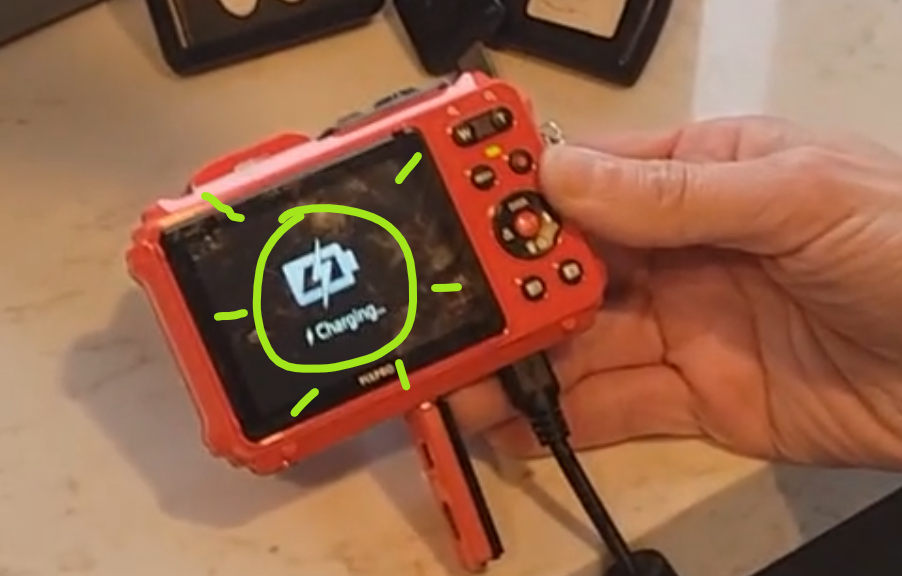
Wait for camera to show: "Charging..."

utdutridyu7


Step 5
Open InCar software from desktop

hdftgdsrda


-Step 6
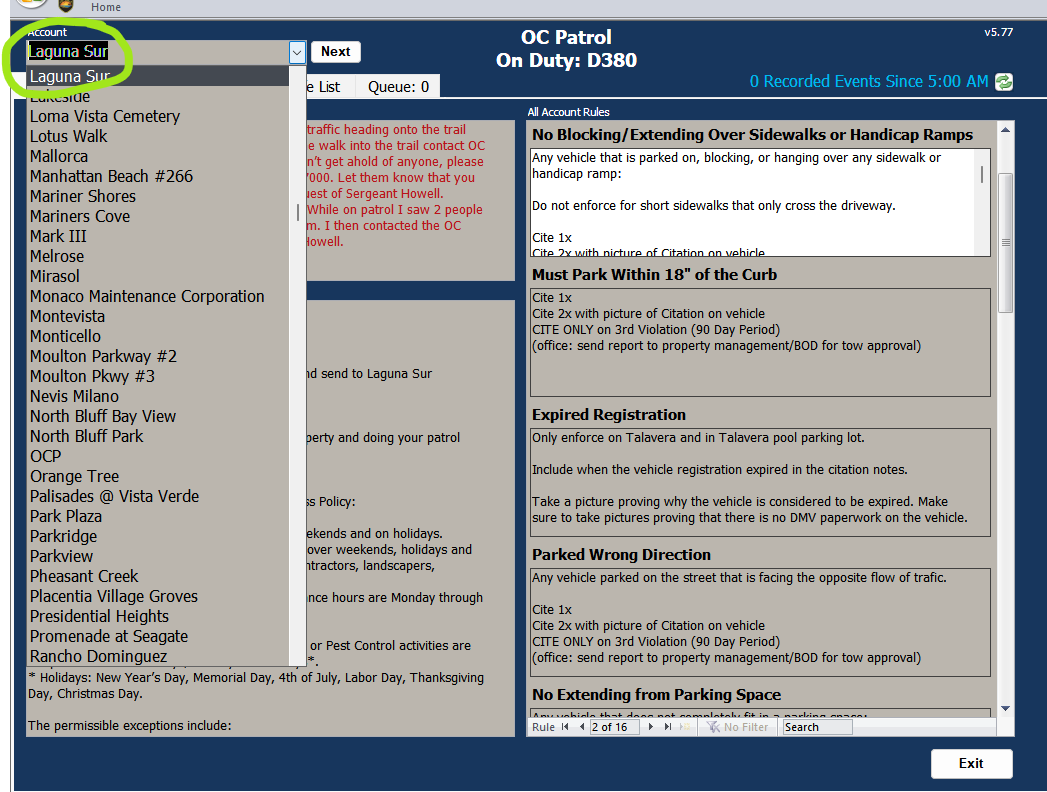
Click on Laguna Sur from dropdown menu

hyjetcawevdsfkyur


Step 7
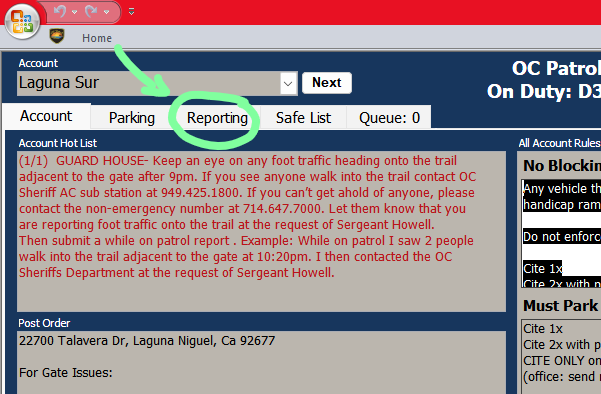
Click on Reporting tab

mgfhnydbcds


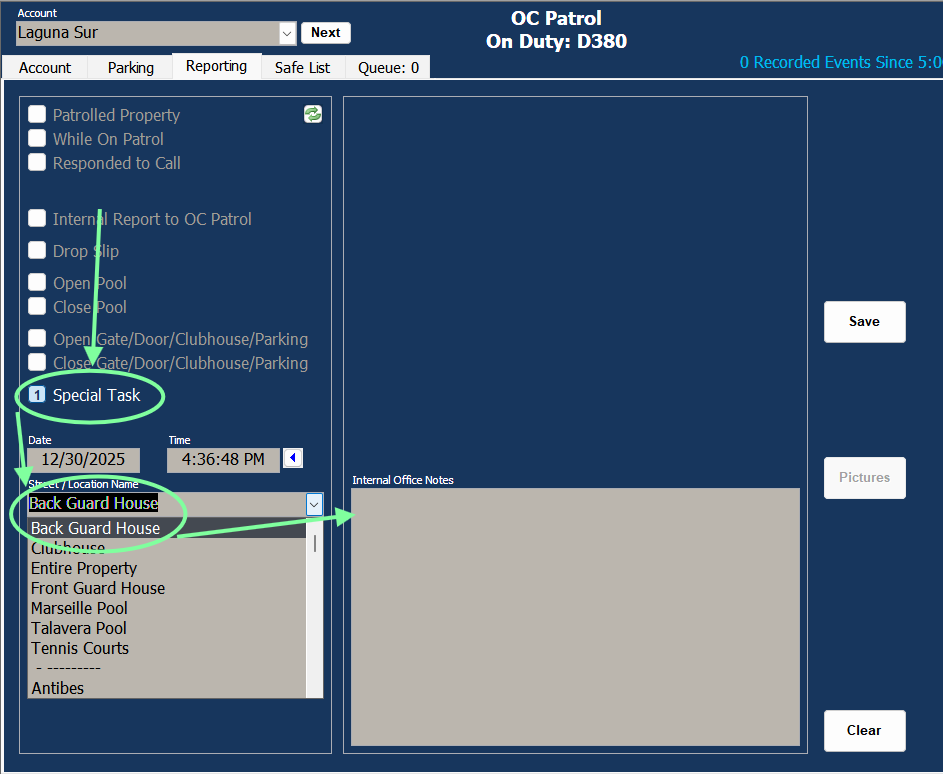
Step 8
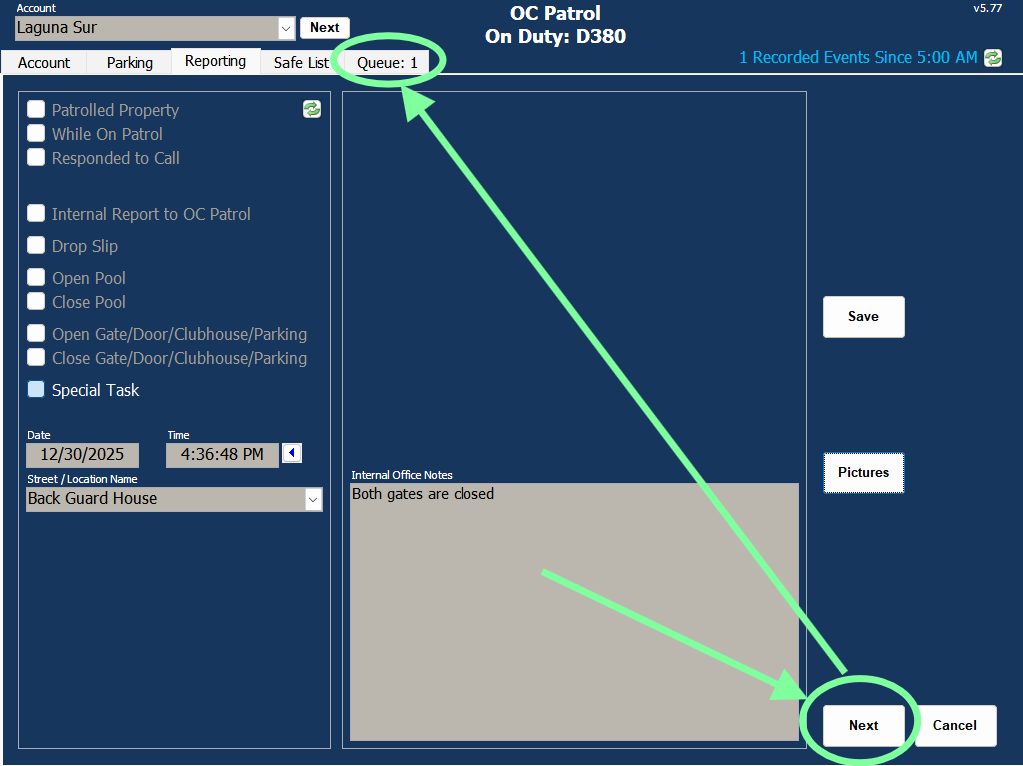
Click on Special task, then choose Back Guard House 

fqhrtmuyjytnbrytvr


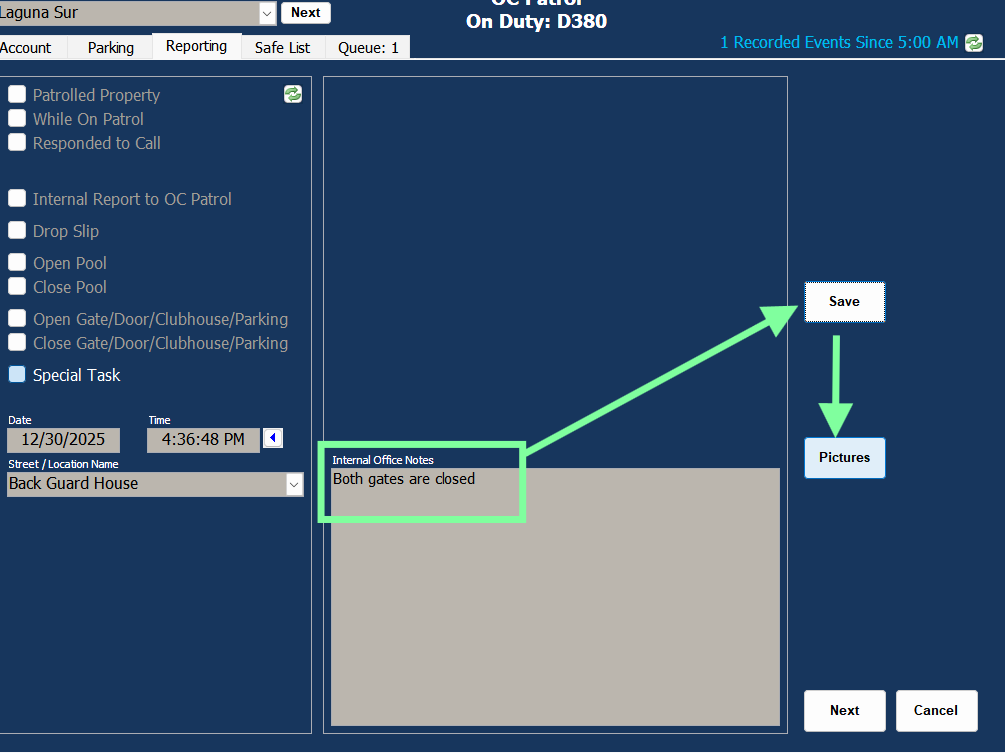
Step 9
Write the status of both gates (opened or closed)
Then click on Save and Pictures

puho67r6


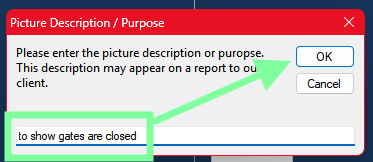
Step 10 
Write a description of the pictures in pop up window, then OK. 

fabsfgnytnb fgsvdf


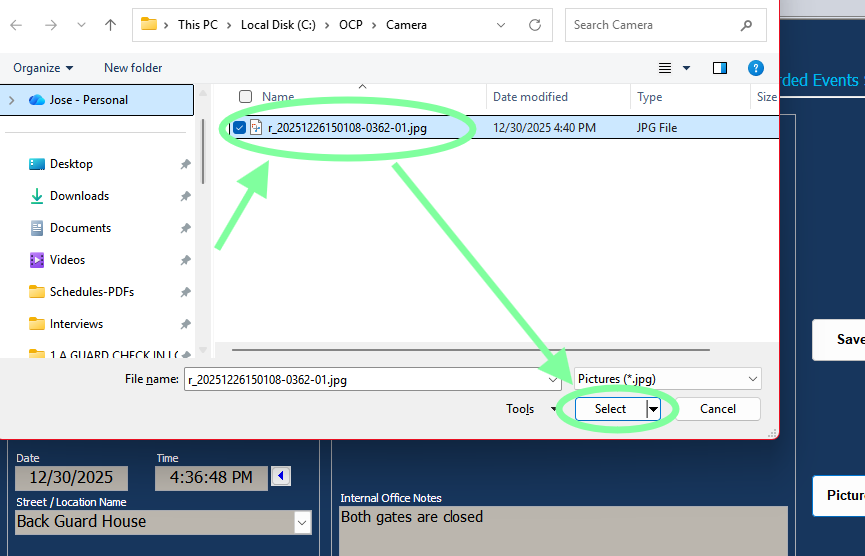
Step 11
Click on the picture then on Select button

faebsbdbfsg dfa

Picture will upload


Step 12
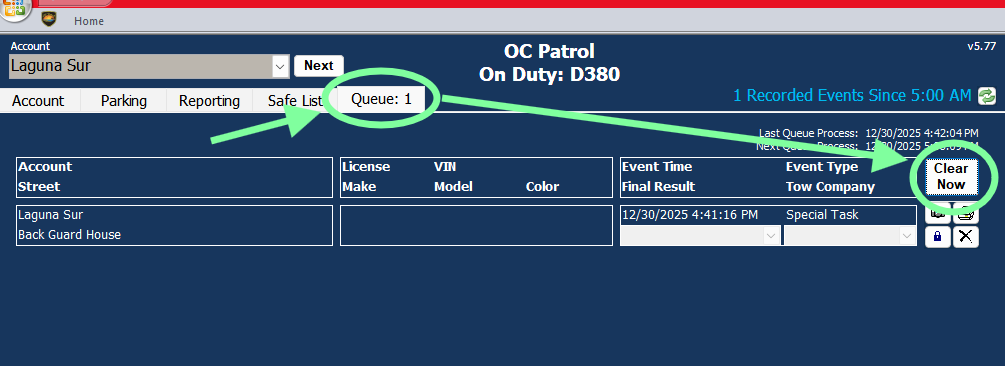
Click on Next then on the Queue tab

hdytn,jkvmn vcgerf


Step 13

Click on Clear Now and wait a few secods for the report to disapear.

gerdfv<dsfvs


YOU ARE DONE!!

( ͡° ͜ʖ ͡°)


» 📍Guard Resources